Completing the Form
This guide walks you through all the fields and options when completing a public comment form.
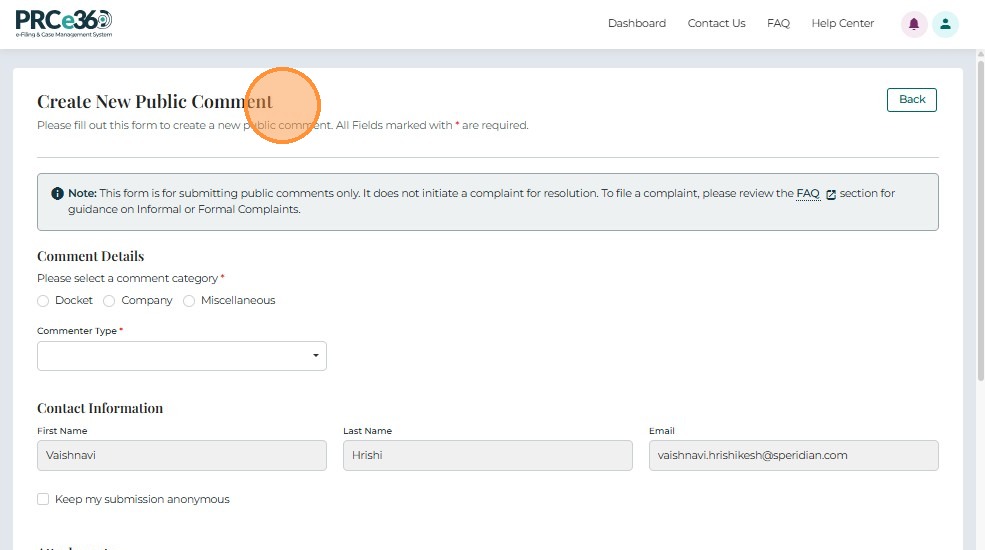
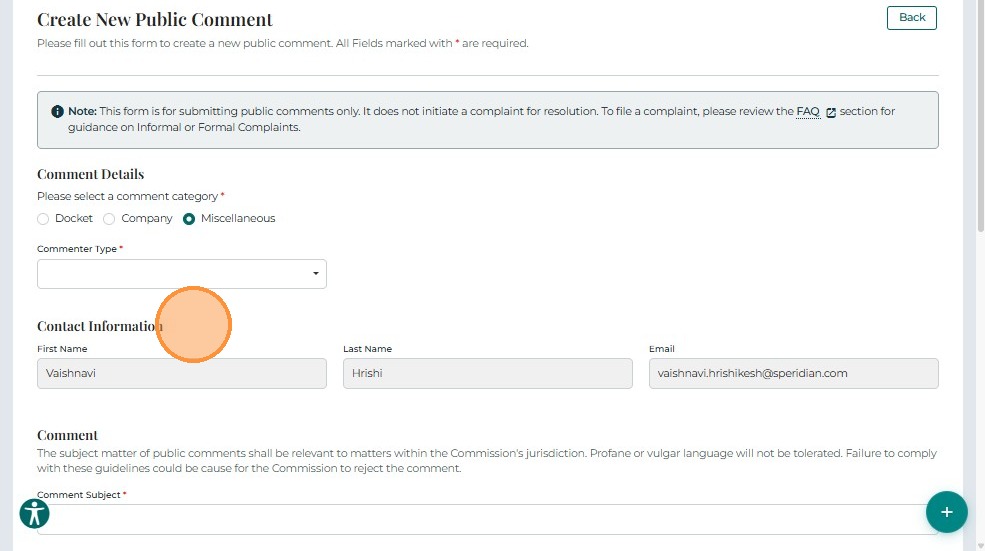
Select Comment Category
- Please select a comment category*
Options include:- Docket
- Company
- Miscellaneous
Depending on the selected category, the form dynamically displays relevant fields.
If Docket or Company Is Selected
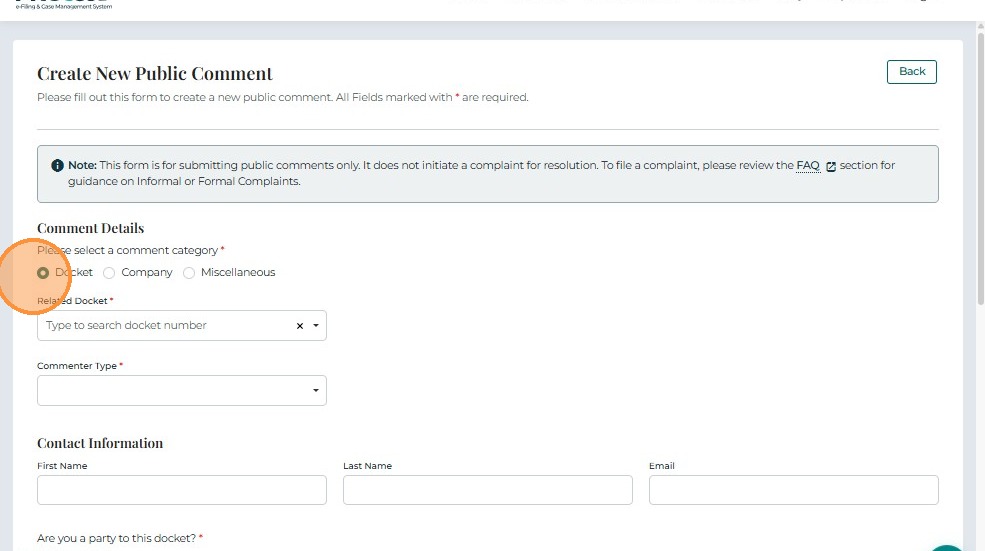
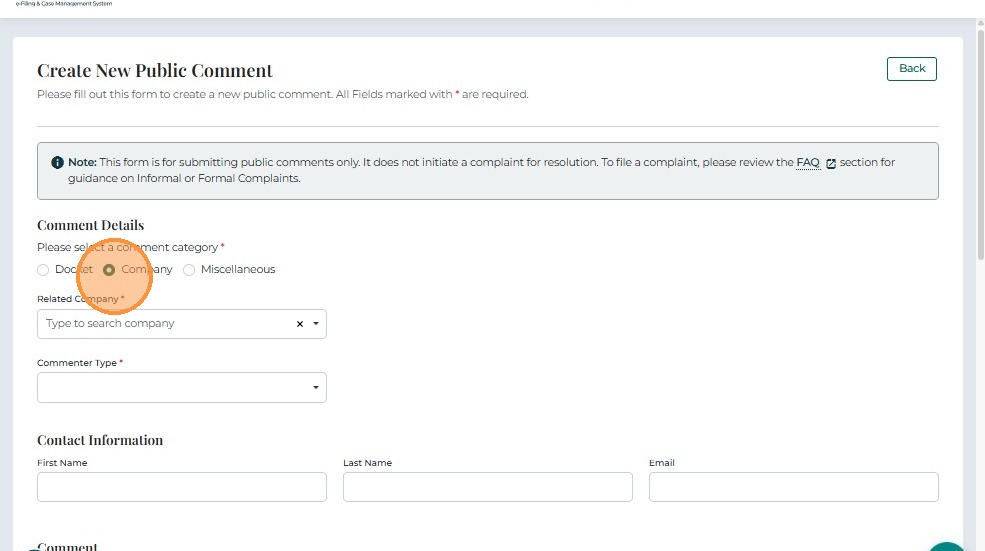
When you select Docket or Company as the category, the following fields appear:
- Related Docket* – Search-enabled dropdown to select the docket number.
- Commenter Type* – Dropdown to specify type of commenter (Ratepayer, Utility, or Other Stakeholder).
If Miscellaneous Is Selected
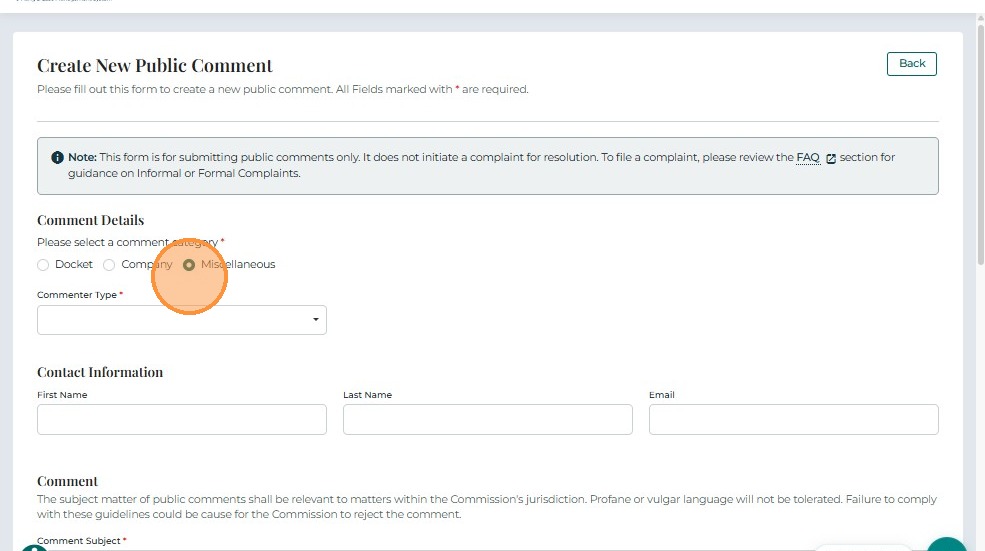
When you select Miscellaneous as the category:
- Commenter Type* – Dropdown to specify commenter classification.
Contact Information
Provide the required contact details:
- First Name* – Comment submitter's first name
- Last Name* – Comment submitter's last name
- Email* – Primary email address for communication
Comment Section
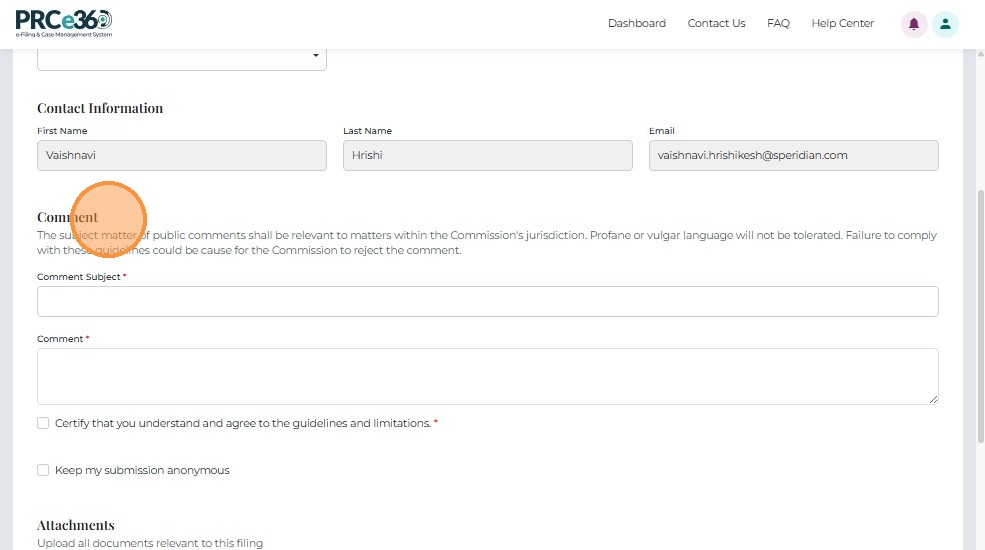
Enter the following:
- Comment Subject* – Brief summary or title for the comment.
- Comment* – Full text of the comment.
Certification and Privacy Options
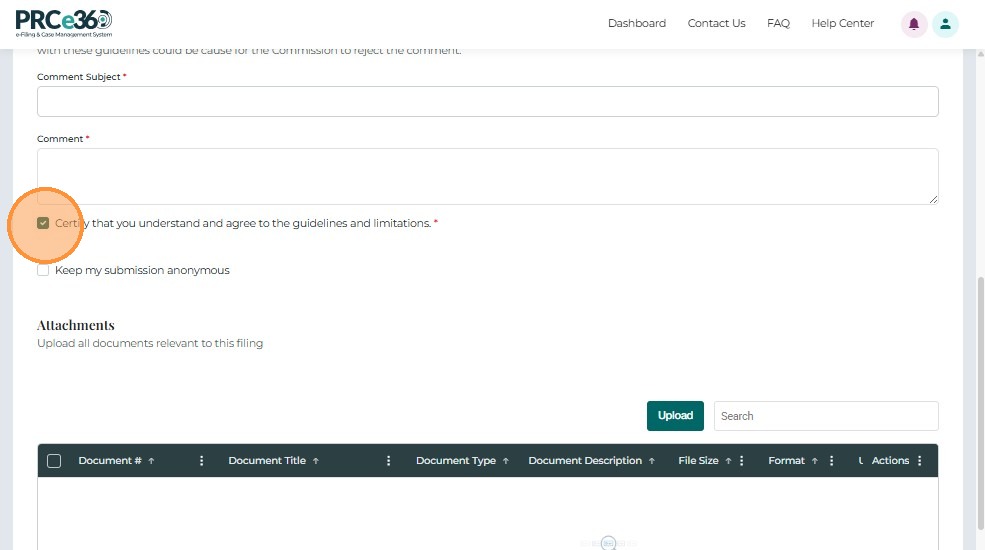
- Certify that you understand and agree to the guidelines and limitations* – Required before submission.
- Keep my submission anonymous – Optional checkbox for anonymous posting.
Form Validation Requirements
Before submitting, ensure all fields meet these requirements:
Required Fields (marked with *)
- Comment Category - Must select Docket, Company, or Miscellaneous
- Related Docket - Required if Docket or Company category selected
- Commenter Type - Must select from dropdown
- Contact Information - First Name, Last Name, Email (all required)
- Comment Subject - Brief title for your comment
- Comment Text - Full text of your comment
- Certification - Must check the certification checkbox
Field Format Requirements
| Field | Requirements |
|---|---|
| Valid email format (name@example.com) | |
| Comment Subject | Brief, descriptive title (typically 50-100 characters) |
| Comment Text | Detailed comment explaining your position or concerns |
| Related Docket | Must select valid docket from dropdown (if applicable) |
Comment Best Practices
Good Comment:
- Clear, specific subject line
- Well-organized text with paragraphs
- References specific docket numbers or issues
- Provides supporting reasoning or data
- Professional and respectful tone
Poor Comment:
- Vague subject like "Comment" or "My opinion"
- Single paragraph with no structure
- Emotional language without substance
- No reference to specific docket or issue
- Inappropriate or offensive language
Writing an Effective Comment
- Be specific: Reference the docket number, proposal, or specific issue
- Be clear: Organize your thoughts into paragraphs
- Be constructive: Explain your position and reasoning
- Be respectful: Maintain professional tone even if you disagree
- Be concise: Focus on key points rather than lengthy narratives
Common Mistakes to Avoid
Avoid These Common Errors
Wrong Docket Selection
- Don't select a docket without verifying it's the correct one
- Don't submit comments to the wrong docket number
- Don't select "Miscellaneous" if your comment relates to a specific docket
Vague or Unclear Comments
- Don't write "I don't like this" - explain why
- Don't omit your reasoning or supporting information
- Don't write comments that are too short to be meaningful
Missing Required Information
- Don't leave comment subject blank
- Don't forget to select commenter type
- Don't skip the certification checkbox
Incorrect Contact Information
- Don't use an email you don't check
- Don't provide fake or incorrect contact information
- Don't forget that anonymous comments still require contact info (it's just not displayed publicly)
Not Selecting Correct Category
- Don't select "Miscellaneous" if your comment relates to a specific docket
- Don't select "Company" if your comment is about a docket
- Don't forget to select the related docket if choosing Docket category
Inappropriate Content
- Don't use offensive or inappropriate language
- Don't include personal attacks
- Don't submit comments that don't relate to the regulatory matter
Next Steps
After completing the form:
- Uploading Documents - Attach supporting files (optional)
- Submitting Your Comment - Submit your comment
Related Guides
- Create Public Comment - Overview - Introduction to public comments
- Getting Started - How to access the comment form